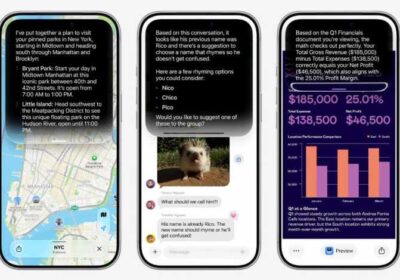


Apple’s AI-powered Siri upgrade may have grabbed the spotlight at WWDC 2026, but many of the most useful artificial intelligence features arriving with iOS 27 are designed to work quietly behind the scenes.
Instead of forcing users to interact with an AI chatbot for every task, Apple is embedding Apple Intelligence directly into the apps and services people already use daily. From splitting restaurant bills and securing passwords to organizing Safari tabs and automating workflows, iOS 27 introduces a range of practical AI-powered experiences aimed at making the iPhone smarter and more helpful.
AI-Powered Bill Splitting Comes to Apple Cash
One of the most useful additions in iOS 27 is a new bill-splitting feature powered by Apple Intelligence.
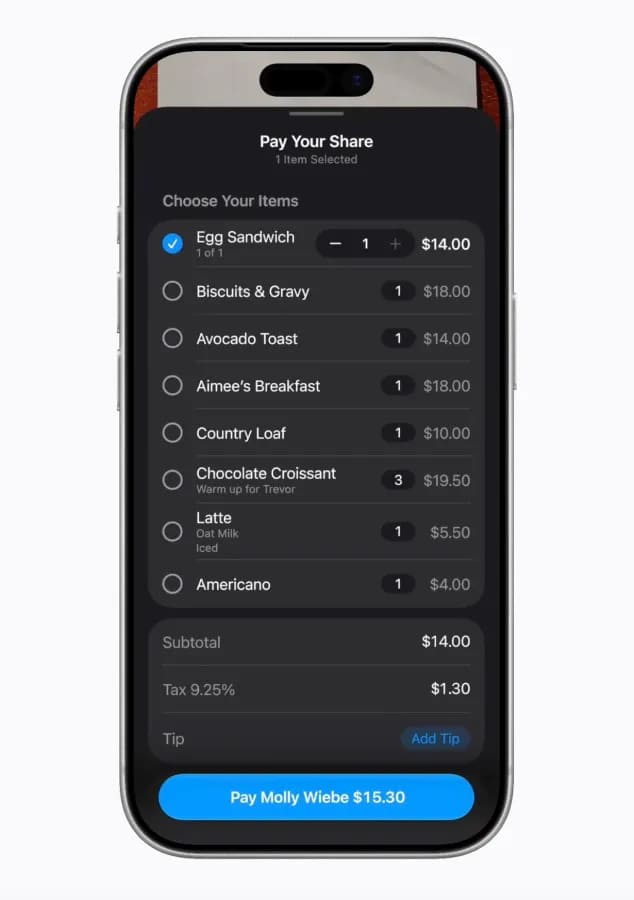
Users can simply take a photo of a restaurant receipt or upload an image. Apple Intelligence automatically identifies ordered items, quantities, taxes, tips, and totals. Friends can then select the items they ordered directly within a group chat, allowing everyone to pay their share through Apple Cash.
The feature removes the hassle of manually calculating expenses and ensures taxes and tips are distributed fairly among participants.
Automatic Password Updates After Data Breaches
Apple is also introducing intelligent password protection.
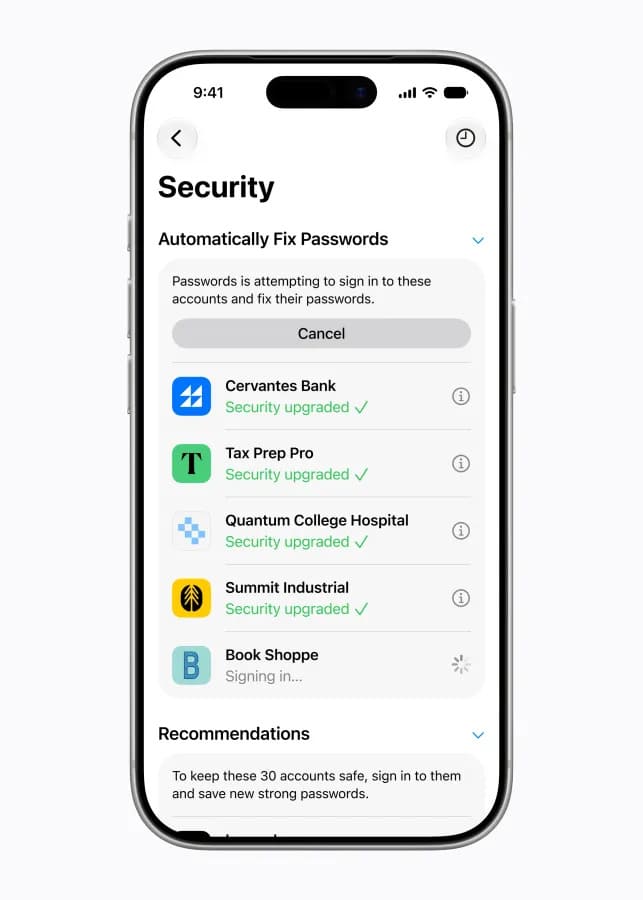
The Passwords app can now detect weak or compromised credentials and automatically update them on supported websites. Instead of requiring users to manually change passwords after a breach, Apple Intelligence can securely navigate the website, sign in, and generate a stronger replacement password.
This feature aims to reduce one of the biggest security risks users face today: exposed credentials from large-scale data breaches.
Smarter Suggestions Inside Messages
The Messages app is becoming more context-aware with one-tap AI suggestions.
For example:
- Add requested items directly to Reminders
- Share relevant photos automatically
- Create Calendar events from conversations
- Suggest actions based on message context
The experience feels natural because the AI works quietly in the background without interrupting conversations.
Call Context Makes Customer Service Calls Easier
Apple is introducing a feature called Call Context that displays important information during phone calls.
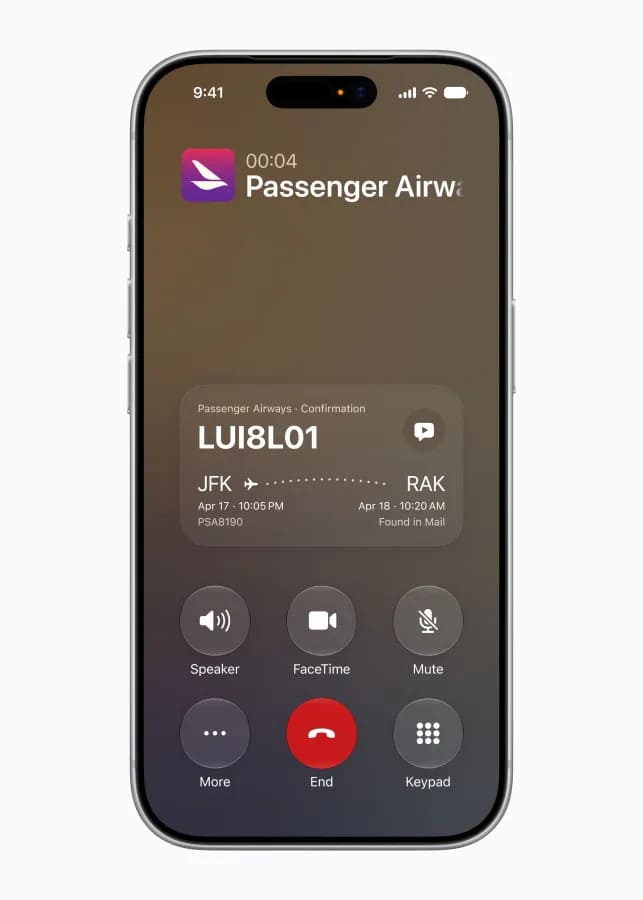
If you’re calling an airline, hotel, or service provider, iOS 27 can automatically surface confirmation numbers, booking details, and other relevant information directly on the call screen.
All processing occurs on-device using Apple Intelligence, maintaining Apple’s privacy-first approach.
Natural Language Calendar Creation
Users will soon be able to create calendar events simply by describing them.
Instead of filling out multiple fields manually, users can type something like:
“Lunch with Sarah next Friday at 1 PM in San Francisco.”
Apple Intelligence automatically extracts the date, time, location, and participants to create the event instantly.
AI-Powered Shortcuts Become Easier
The Shortcuts app has long been one of Apple’s most powerful productivity tools, but many users found it complicated.
In iOS 27, users can simply describe the automation they want in plain language.
Examples include:
- Send an ETA message when leaving work
- Turn on lights when a delivery arrives
- Configure alarms based on the next day’s calendar
This brings AI-assisted automation to a much wider audience.
Home App Notifications Get Smarter
Smart home notifications can often become overwhelming.
Apple Intelligence now analyzes connected events and combines them into meaningful summaries.
Instead of receiving separate alerts for opening a garage door, checking the mailbox, and entering the house, users may receive a single notification indicating someone arrived home.
The Home app also gains AI-powered search for finding important security camera clips and events.
Safari Organizes Tabs Automatically
Safari is receiving intelligent tab organization.

Apple Intelligence can analyze open tabs and automatically group related pages together.
For example, travel research tabs may be grouped into a dedicated travel collection, making it easier to return to ongoing projects without manually organizing dozens of tabs.
Apple says all browsing analysis remains private and is processed without exposing data to external servers.
Apple’s AI Strategy Focuses on Everyday Usefulness
While Siri’s transformation represents a major step forward for Apple’s AI ambitions, iOS 27 demonstrates that the company’s broader strategy extends beyond voice assistants.
By integrating AI into Messages, Passwords, Safari, Calendar, Apple Cash, Home, and Shortcuts, Apple is focusing on practical features that save time, improve security, and simplify everyday tasks.
As iOS 27 rolls out later this year, users may find that some of the most impactful AI upgrades are the ones working quietly in the background.
Source: Apple WWDC 2026
Read More on VitalStack
- In the Weights: The AI Search Tool That Shows How Well Chatbots Know You
- Pinterest Launches ‘Ask Pinterest’ to Make Shopping and Product Discovery More Conversational
- Coinbase Launches AI Agents That Can Automatically Manage and Trade Crypto Portfolios
- Android 17 Launches with New Multitasking Tools and Powerful Gemini AI Features
- Visa Integrates ChatGPT to Enable AI-Powered Shopping and Automated Payments
Enjoyed this article?
Subscribe for weekly deep-dives on AI and health — straight to your inbox.