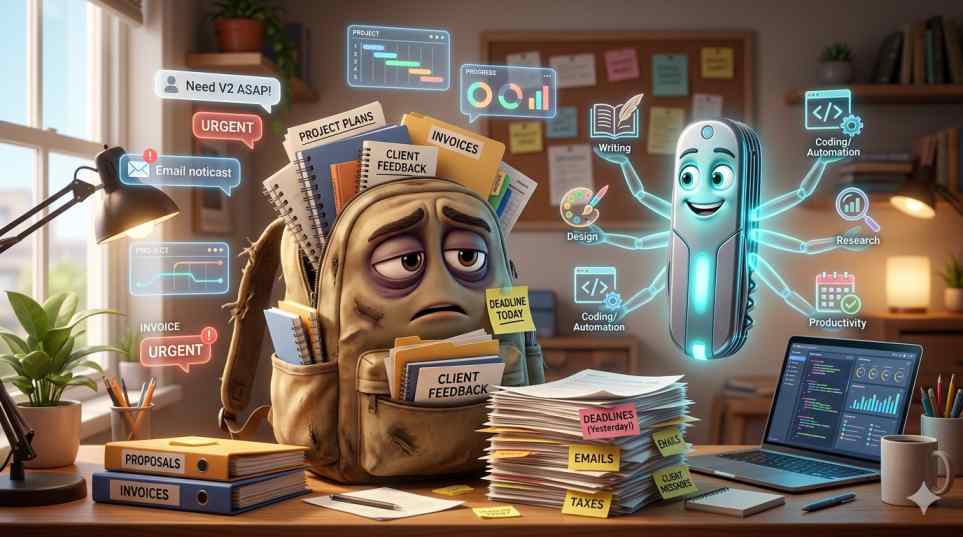

When I first started creating content regularly, I thought the hardest part would be writing.
I was wrong.
The real challenge was everything surrounding the content.
Researching topics.
Creating outlines.
Designing graphics.
Writing social media captions.
Editing content.
Managing ideas.
Some days I would spend more time preparing content than actually publishing it.
That’s when I started testing AI tools to see whether they could make content creation easier.
What I discovered was interesting.
The best AI tools didn’t replace my work.
They simply helped me work faster.
Instead of spending hours on repetitive tasks, I could spend more time improving content quality and helping readers.
Here are the tools that genuinely made a difference.
1. ChatGPT – My Favorite Research Assistant
One of the biggest time-consuming tasks for any creator is research.
Before using ChatGPT, I would open dozens of browser tabs, take notes manually, and organize information myself.
Now I use ChatGPT to:
- Generate content ideas
- Create article outlines
- Summarize complex topics
- Brainstorm headlines
Real Example
While researching AI startup trends for VitalStack, I collected information from multiple sources.
Instead of organizing everything manually, I used ChatGPT to structure the information into categories.
This reduced my planning time significantly.
Time Saved
Around 30-45 minutes per article.
2. Canva AI – Making Design Faster
I’m not a professional designer.
Like many content creators, I often need:
- Blog featured images
- Social media graphics
- YouTube thumbnails
- Marketing visuals
Canva AI helps generate design ideas quickly.
Real Example
For one blog post, I created three thumbnail concepts in less than ten minutes.
Previously, that process could take over thirty minutes.
The final design still required human adjustments, but Canva gave me a strong starting point.
3. Grammarly – My Final Editing Step
Every article I publish goes through Grammarly.
No matter how carefully you write, mistakes happen.
After staring at the same article for hours, it’s easy to miss:
- Grammar mistakes
- Missing words
- Repeated phrases
- Awkward sentences
Real Example
One recent article contained a sentence that made perfect sense in my head but was confusing for readers.
Grammarly highlighted it immediately.
Small improvements like this make content easier to read and more professional.
4. Perplexity AI – Faster Learning and Research
Sometimes I need to understand a topic quickly.
Instead of opening ten different articles, I often start with Perplexity.
Test Case
I compared two research methods.
Traditional Search
- 8 -10 browser tabs
- Multiple articles
- Manual note-taking
Time:
About 60 minutes
Perplexity Research
- Direct answer
- Source references
- Summary overview
Time:
Around 20 minutes
I still verify information, but the learning process becomes much faster.
5. Notion AI – Organizing Everything
One of the biggest challenges for creators is managing ideas.
Good ideas can disappear quickly if they aren’t recorded.
Notion AI helps me organize:
- Blog topics
- Content calendars
- Research notes
- Project plans
Personal Observation
Having everything in one place reduced the time I spent searching for documents and unfinished ideas.
6. Descript – Simplifying Video Editing
Video editing can be intimidating, especially for beginners.
Descript makes editing easier by allowing creators to edit videos almost like editing a document.
Benefits
- Automatic transcription
- Faster editing
- Podcast support
- Easy content repurposing
For video creators, this can save several hours every week.
The Most Important Lesson I Learned
After months of testing AI tools, I realized something important.
AI is not a shortcut to great content.
Readers don’t visit a website because AI wrote an article.
Readers visit because they want:
- Helpful information
- Real experiences
- Honest opinions
- Practical solutions
AI can help create content faster.
But it cannot replace personal experience and genuine expertise.
That’s why I always add real examples and personal observations to every article.
What Content Creators Should Focus On
The creators who are succeeding today aren’t using AI to replace themselves.
They’re using AI to eliminate repetitive tasks.
That allows them to spend more time on:
- Creativity
- Storytelling
- Audience engagement
- Building trust
And those are the things that truly grow an audience.
Final Thoughts
AI tools have become valuable assistants for content creators.
Whether you’re writing blog posts, producing videos, managing social media, or building a personal brand, the right tools can save time and improve efficiency.
The goal isn’t to let AI create everything.
The goal is to spend less time on repetitive work and more time creating content that helps people.
That’s where the real value lies.
FAQ
Which AI tool is best for content creators?
ChatGPT is one of the most versatile options because it helps with research, planning, brainstorming, and content organization.
Can AI replace content creators?
No. AI can assist with repetitive tasks, but creativity, storytelling, experience, and audience connection remain human strengths.
What is the best AI tool for creating graphics?
Canva AI is a popular choice because it helps creators design thumbnails, social media graphics, and blog visuals quickly.
Are AI tools worth paying for?
For creators who publish regularly, premium AI tools can often save enough time to justify the cost.
Should beginners use AI tools?
Yes. AI tools can help beginners learn workflows, improve productivity, and stay consistent while creating content.
Read More on VitalStack
Enjoyed this article?
Subscribe for weekly deep-dives on AI and health — straight to your inbox.