
Hi, I’m Ananya full stack web developer. If you’ve ever wondered how to build a modern portfolio website using React, this guide will walk you through everything from planning and design to coding, optimization, SEO, deployment, and maintenance.
Whether you’re from India preparing for product-based companies or creating an international freelance profile, this tutorial will help you build a portfolio that looks professional and performs exceptionally well.
By the end of this guide, you’ll understand:
- Essential portfolio sections
- Recommended project structure
- Modern UI techniques
- Deployment on the web
- SEO best practices
- Common mistakes to avoid
Why Every Developer Needs a Portfolio Website
According to the Stack Overflow Developer Survey, thousands of developers showcase projects through GitHub and personal websites. Recruiters increasingly search candidates online before interviews.
A portfolio website helps you:
- Build credibility
- Showcase real-world projects
- Demonstrate coding skills
- Improve personal branding
- Increase freelance opportunities
- Share blogs and technical knowledge
- Improve Google discoverability
For Indian developers, having a portfolio often provides an advantage when applying for remote international jobs or internships.
Why Choose React for Portfolio Development?
React has become one of the most trusted frontend libraries because of its flexibility, reusable components, and excellent ecosystem.
Major Advantages
- Fast Virtual DOM rendering
- Reusable UI components
- Huge community support
- Easy deployment
- SEO-friendly when paired with Next.js
- Massive ecosystem
- Great developer experience
React vs Traditional HTML Portfolio
| Feature | React | HTML/CSS |
|---|---|---|
| Reusable Components | Yes | No |
| Routing | React Router | Manual |
| State Management | Built-in Hooks | None |
| Scalability | Excellent | Limited |
| Animations | Easy | Moderate |
| Performance | High | Good |
| Community Support | Huge | Moderate |
Winner: React for any modern professional portfolio.
Planning Your Portfolio Website
Before writing any code, decide what your website should include.
A professional portfolio generally contains:
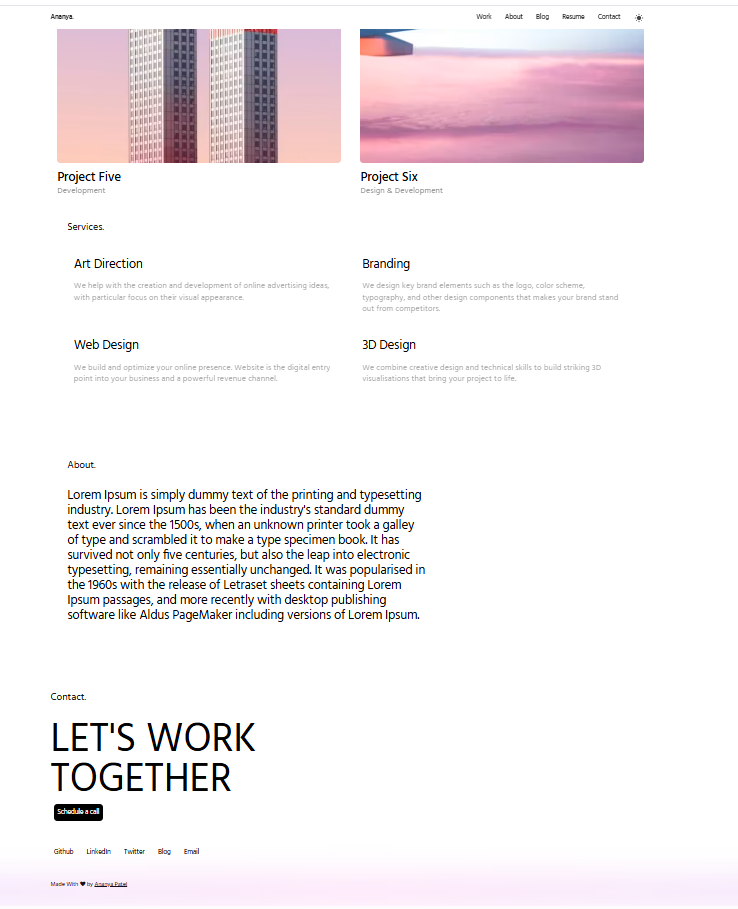
Home
The landing page introduces you.
Include:
- Your name
- Professional title
- Short introduction
- Social links
- Resume button
- Call-to-action
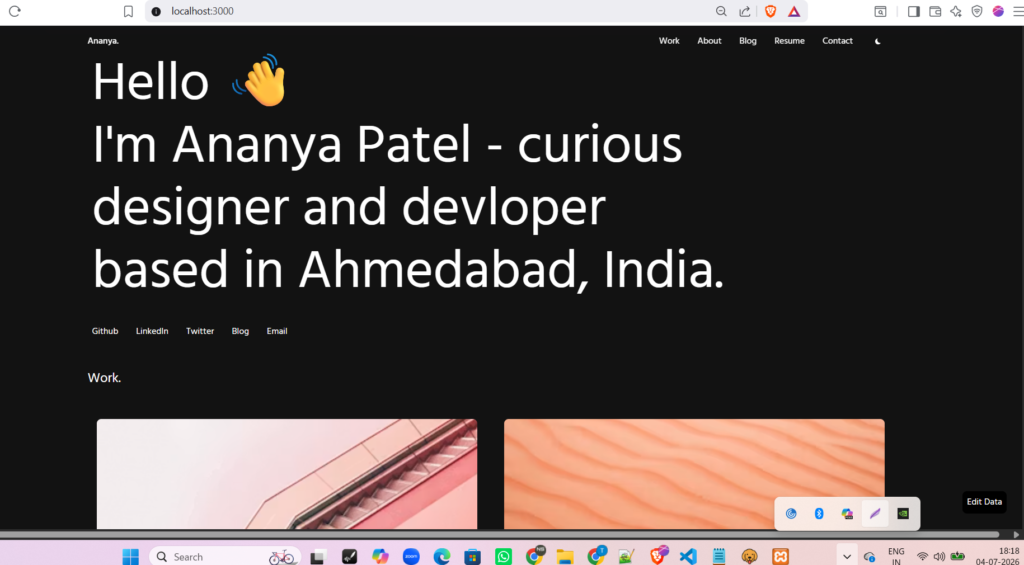
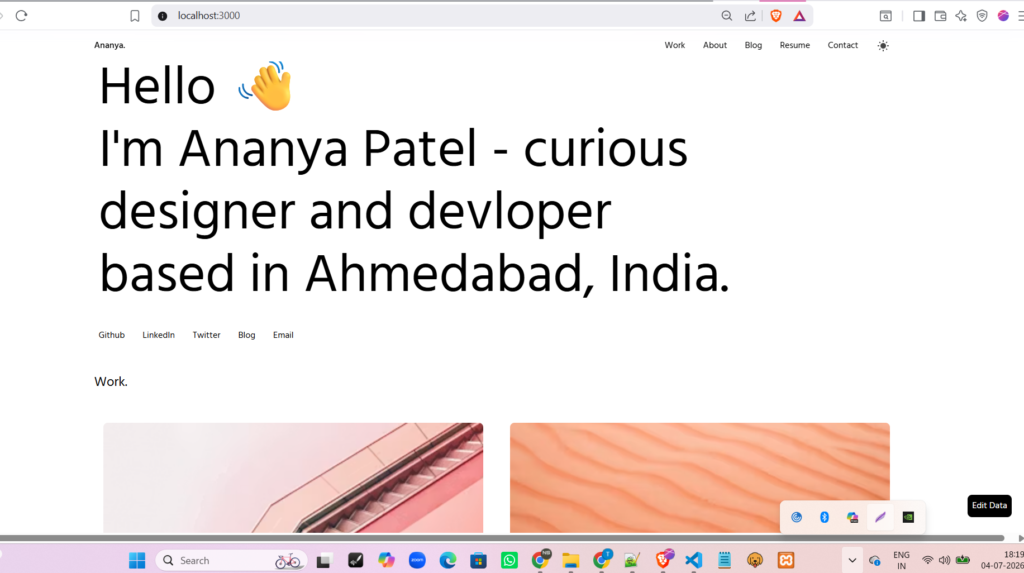
Example:
My Personal Website Home Page (Dark/Light Theme)
About
Tell visitors:
- Your story
- Experience
- Skills
- Interests
- Goals
Avoid writing a life story.
Instead, focus on how you solve problems.
Projects
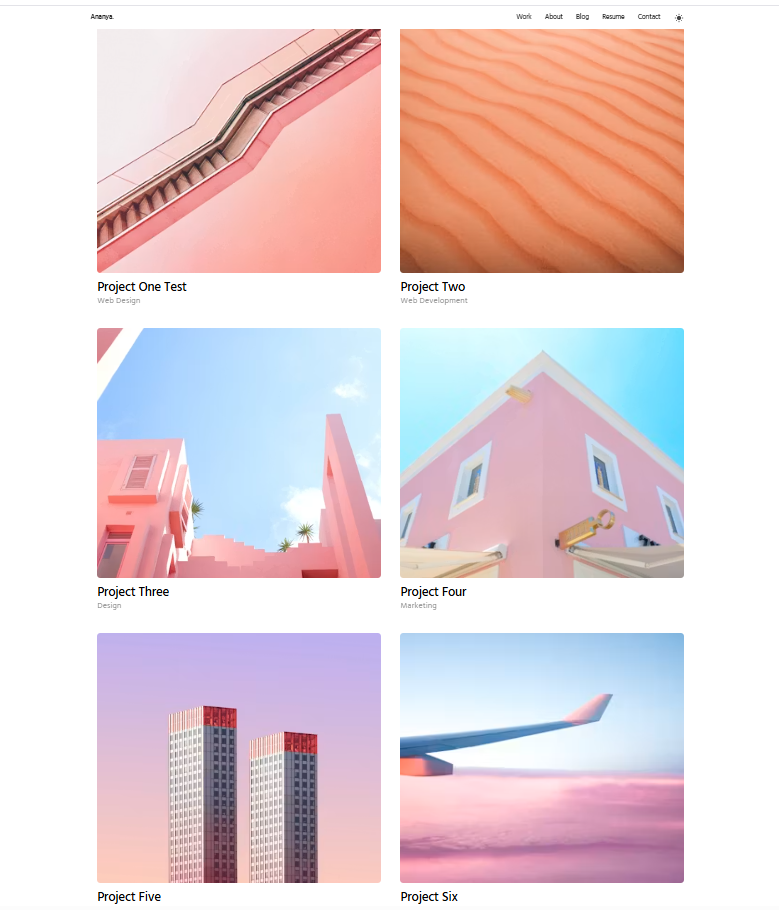
This is the most important section.
Each project should include:
- Title
- Thumbnail
- Description
- Technologies
- GitHub link
- Live Demo
- Challenges
- Outcomes
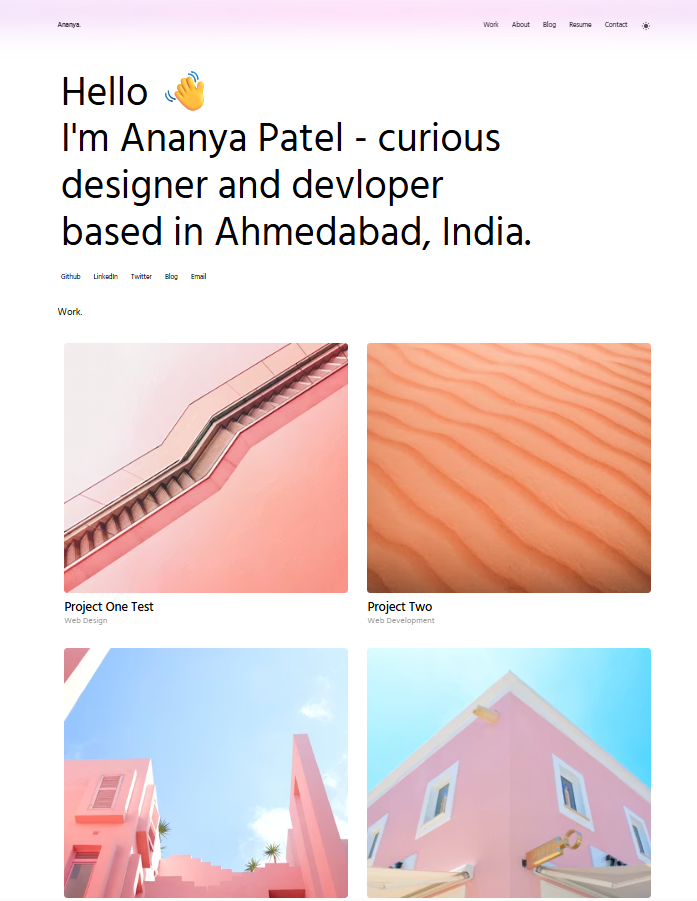
Example of my projects how it looks:
Blog
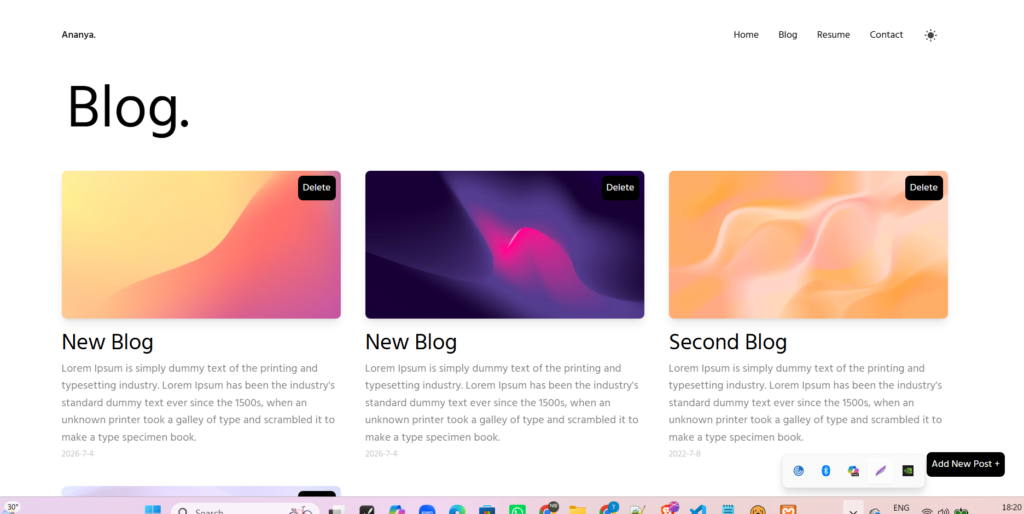
Technical blogs demonstrate expertise.
Topics may include:
- React tutorials
- AI projects
- Programming tips
- Career advice
- Healthcare technology
This also improves your SEO.
Resume
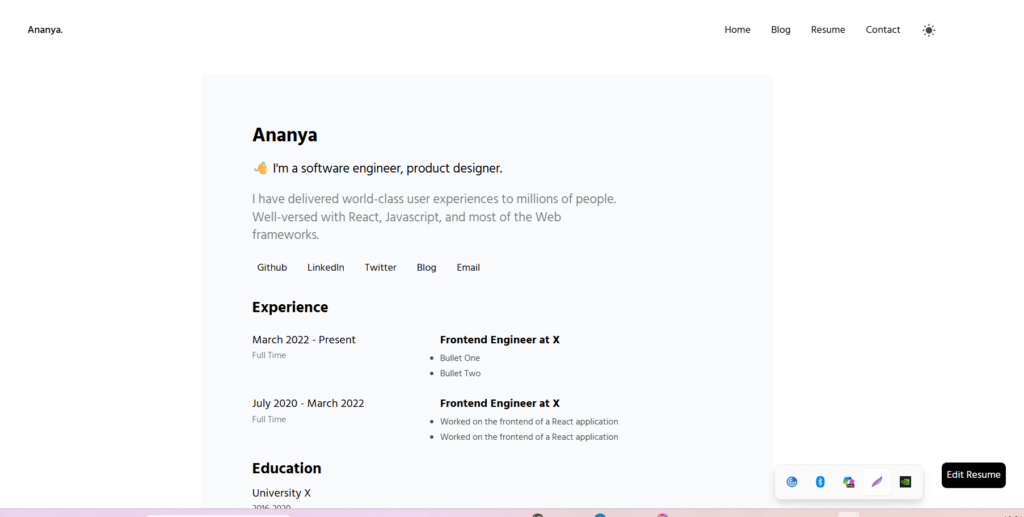
Include:
- Education
- Experience
- Skills
- Certifications
- Download Resume button
Contact
Provide:
- GitHub
- Twitter/X
- Contact form
Project Folder Structure
A clean structure keeps projects manageable.
portfolio/

src/

components/

Navbar

Footer

Hero

Projects

Skills

BlogCard

pages/

Home

About

Blog

Resume

Contact

assets/

images/

styles/

App.jsx

main.jsx
Step 1: Create React Project
Using Vite:
npm create vite@latestInstall dependencies:
npm installRun project:
npm run dev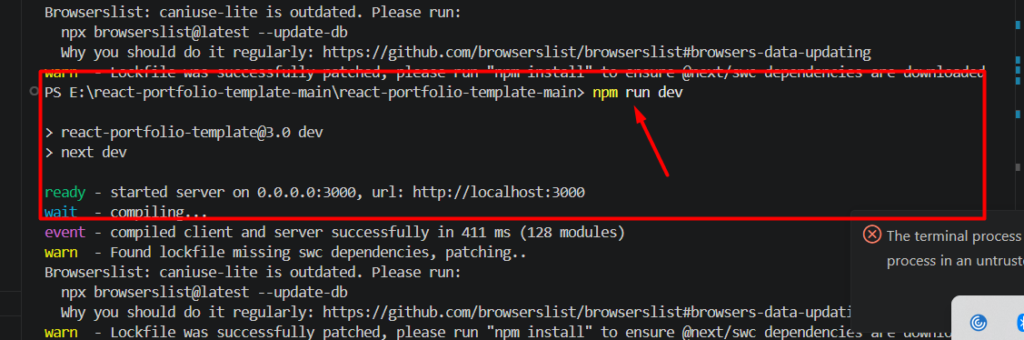
Step 2: Install Required Packages
npm install react-router-domUseful packages:
npm install framer-motion
npm install react-icons
npm install axios
Optional:
npm install react-markdownStep 3: Build Navigation
Create a responsive navbar containing:
- Home
- About
- Projects
- Blog
- Resume
- Contact
Add:
- Dark mode toggle
- Mobile hamburger menu
Step 4: Create Hero Section
The hero section should immediately communicate who you are.
Include:
- Large typography
- Professional photo
- CTA buttons
- Social icons
Example CTA:
- View Projects
- Download Resume
Step 5: Build Reusable Components
Instead of repeating code, build reusable components.
Examples:
- Button
- Card
- ProjectCard
- BlogCard
- SocialLinks
- SkillBadge
Reusable components reduce maintenance.
Step 6: Add Responsive Design
Your website should work perfectly on:
- Mobile
- Tablet
- Laptop
- Desktop
Use:
- CSS Grid
- Flexbox
- Media Queries
Or frameworks like:
- Tailwind CSS
- Bootstrap
Step 7: Add Animations
Modern websites feel alive.
Use Framer Motion for:
- Fade-in sections
- Hover cards
- Image zoom
- Scroll animations
- Page transitions
Avoid excessive animations that slow performance.
Step 8: Optimize Images
Large images reduce loading speed.
Best practices:
- Compress images
- Use WebP
- Lazy loading
- Responsive sizing
Tools:
- TinyPNG
- Squoosh
- ImageOptim
Step 9: Add SEO
Many portfolios fail because they ignore SEO.
Include:
- Meta title
- Meta description
- Open Graph tags
- Sitemap
- Robots.txt
- Structured data
Good SEO helps recruiters discover your portfolio through search engines.
Step 10: Deploy Your Website
Popular hosting platforms: Vercel, Netlify, Firebase Hosting etc.
I used Vercel for other sites deployment so its easy deployment app.
Deployment usually takes only a few minutes.
Essential Features for a Modern Portfolio
Consider adding:
- Dark Mode
- Blog CMS
- Resume Download
- Contact Form
- Project Filtering
- Search
- Loading Animations
- Scroll Progress Bar
- Custom Cursor
- Testimonials
Best React Libraries
| Library | Purpose |
|---|---|
| React Router | Navigation |
| Framer Motion | Animation |
| React Icons | Icons |
| React Hook Form | Forms |
| Axios | API Requests |
| GSAP | Advanced Animations |
| React Helmet | SEO |
Performance Optimization Tips
Improve loading speed by:
- Code splitting
- Lazy loading
- Image optimization
- Memoization
- Tree shaking
- Bundle optimization
Google PageSpeed Insights can help identify improvements.
Common Mistakes Beginners Make
Avoid these mistakes:
- Too many animations
- Poor mobile responsiveness
- Large uncompressed images
- Broken links
- Missing GitHub links
- No call-to-action
- No SEO optimization
- Copying templates without customization
Challenges and Practical Solutions
| Challenge | Solution |
|---|---|
| Responsive layout issues | Use Flexbox and CSS Grid |
| Slow loading | Compress images and lazy load components |
| Complex state management | Use React Hooks effectively |
| SEO limitations | Add metadata and consider Next.js for server-side rendering |
| Frequent updates | Keep project data in reusable JSON files or a CMS |
Being aware of these challenges early will save development time and improve the overall quality of your portfolio.
Conclusion
Building a modern portfolio website using React is one of the most valuable projects for developers, designers, students, and professionals. It demonstrates your technical skills while giving you a platform to showcase your work, publish blogs, and establish a personal brand.
Start with a clean design, organize your content into reusable React components, optimize for mobile devices and search engines, and deploy it on a reliable hosting platform. Over time, continue updating your portfolio with new projects, certifications, and articles to keep it relevant.
Have you built your own React portfolio? Share your experience in the comments, tell us which feature you’re most proud of, and explore more tutorials on VitalStack.co.in. For questions or collaboration, contact contact@vitalstack.co.in.
Frequently Asked Questions (FAQs)
1. Is React good for building a portfolio website?
Yes. React is lightweight, component-based, highly scalable, and supported by a vast ecosystem, making it one of the best choices for modern portfolio websites.
2. Should beginners learn React before creating a portfolio?
Basic knowledge of HTML, CSS, and JavaScript is recommended. Once you’re comfortable with these fundamentals, React is an excellent next step for building professional portfolios.
3. Can I deploy my React portfolio for free?
Absolutely. Platforms such as Vercel, Netlify, GitHub Pages, and Firebase Hosting provide free hosting options for React applications.
4. How often should I update my portfolio?
Review your portfolio every few months or whenever you complete a significant project, earn a certification, or publish a new technical blog.
5. Should I use React or Next.js?
If you’re building a simple portfolio, React is sufficient. If SEO, faster loading, and server-side rendering are priorities especially for blog-heavy websites Next.js is a better choice.
6. What are the most important sections of a portfolio website?
At a minimum, include a Home page, About section, Projects showcase, Resume, Blog, and Contact page. These sections provide visitors with a complete view of your skills and experience.
References
- React Documentation: https://react.dev/
- Vite Documentation: https://vitejs.dev/
- MDN Web Docs: https://developer.mozilla.org/
- Google Search Central SEO Documentation: https://developers.google.com/search
- Stack Overflow Developer Survey: https://survey.stackoverflow.co/
Published on VitalStack.co.in | Author: Ananya Patel | Contact: contact@vitalstack.co.in
Read More on VitalStack
- React vs Next.js: Which Should You Learn in 2026?
- NLP Basics: How Machines Understand Language (48 characters)
- Prompt Engineering Mastery: Better AI Outputs
- How AI Is Transforming Customer Support: Faster Responses, Better Experiences, and Smarter Service
- The Science Behind Dopamine and Motivation: Why Your Brain Loves Progress
- Daily Habits That Improve Brain Productivity: Simple Changes That Made a Big Difference
Enjoyed this article?
Subscribe for weekly deep-dives on AI and health — straight to your inbox.